| |
Data
Logging Option
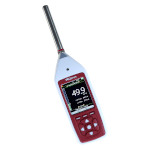
The SU80 option for the Model 82 Sound Level
Meter adds the ability
to store measurements for download to a computer. This option includes
the upgrade to the meter, a USB download cable and the Analyzer
software.
This option can be ordered at the same time as the meter or it
can be purchased at a later date, in which case the upgrade will
be sent to you and there is no need to return the meter to the
factory.
The Analyzer software
supplied with the SU80 upgrade offers the following features
- Downloads noise measurements from the sound level
meter
- Store measurements in folders for convenience
- Enter Comments and Notes for each measurement
- Display measurements individually or in a tabular format
- Graphical display of Time History (as shown on right)
- Print reports for noise at work and environmental surveys
- Exposure calculations for occupational noise applications
- Advanced Instrument configuration and setup options
- Enhanced Export functions
|
 |
| |
|
 |
The upgraded sound level meter connects to the computer
using the USB cable supplied. The Analyzer software will
display all the measurements that are currently stored in
the meter's memory.
You can select the noise measurements to download or opt
to download them all. The measurements can be stored in
separate folders to help to organise your work. |
Once downloaded, the noise measurements are displayed in both
a tabular and graphical format. The numerical values for the measurement
are listed down the left side and include the time, date, duration
and measurement range along with the Time and Frequency Weightings
used for each parameter.
Calculations and Reports
The Analyzer software can calculate a worker's daily
noise exposure LEP,d in line with the EU Physical Agents
(Noise) Directive. Standard reports can be produced and sent to
a printer, to a JPEG image or to a PDF file for emailing.
Exporting Noise Measurements
The measurements can be exported in many formats. In particular,
the tabular data can be sent to Excel or Word format for
further analysis or inclusion in reports. If the standard
reports that are built into Analyzer do not satisfy your
needs then the export option gives all the flexibility that
you need. |
 |
|
|